Anonymise PDF
The Anonymise PDF tool lets you produce redacted copies of bank statement PDFs suitable for sharing — for example, when attaching a failing statement to a GitHub issue. You can anonymise a single file or an entire folder of PDFs in one go. All text is scrambled by default. You use two simple tables to control which phrases are left unchanged (so the parser can still read them) and which strings are replaced with safe alternatives (before scrambling occurs). An optional retain descriptions mode lets you skip the scrambling pass for transaction descriptions, applying only your explicit always-anonymise replacements and numeric ID substitutions.
Opening the tool
The Anonymise tool can be opened from two places:
- Admin dialog → Anonymise PDF section → Open Anonymise Tool button.
- Debug Info dialog → Anonymise button on any REVIEW or FAILURE row — the tool opens pre-loaded with that statement's PDF path.
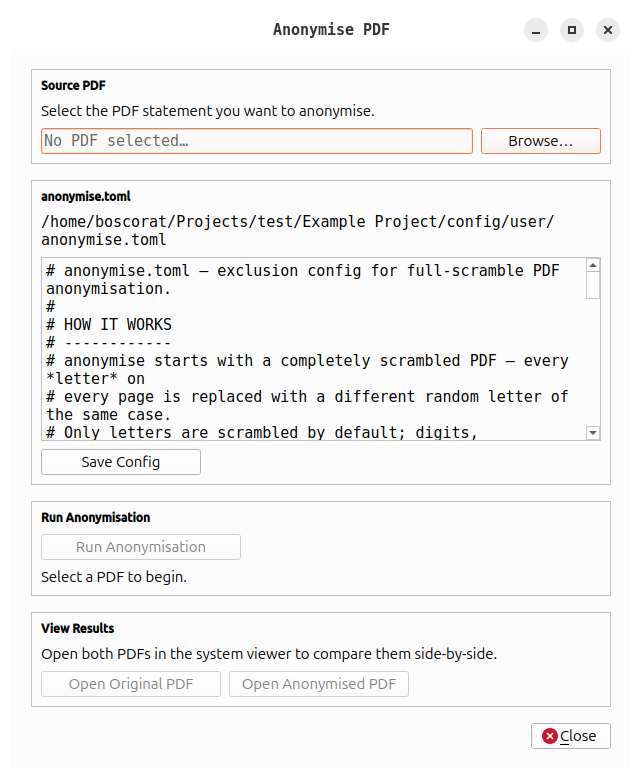
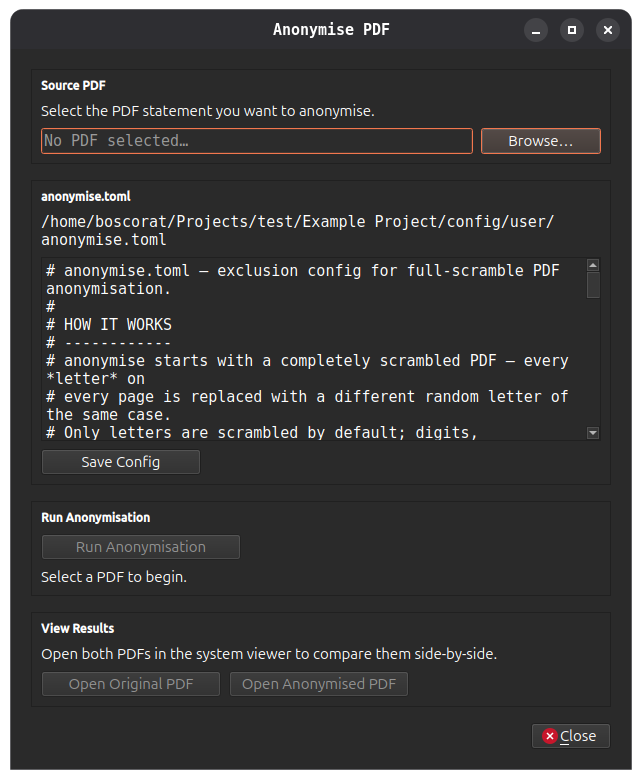
Selecting a source PDF
You can anonymise files one at a time or process an entire folder at once:
- Browse… — opens a file picker to select a single PDF.
- Browse Folder… — opens a folder picker. openstan recursively discovers all
.pdffiles in the selected folder and its subdirectories. A count of discovered files is shown below the path field.
If the tool was opened from the Debug Info dialog, the path is pre-filled with the failing statement's path (single-file mode).
Configuring Anonymisation
The center panel contains two tabs for managing anonymisation rules. Configurations are saved automatically when you run the anonymisation or close the dialog (with retry logic if the first save attempt fails).
Always Anonymise Tab
Entries in this table force exact string replacements before the scrambling pass. Use this for structured data like sort codes or account numbers you want to replace with safe placeholders.
- Original Text column: the string to find (case-sensitive)
- Replacement column: the string to substitute
- Click Add Row to add a new replacement pair
- Click Remove Selected to delete a row
Example:
| Original Text | Replacement |
|---|---|
| 11-22-33 | 00-00-00 |
| 12345678 | 00000000 |
| ACME Bank | Bank |
Never Anonymise Tab
Phrases listed here are excluded from scrambling. Use this for structural text the parser needs to read (e.g., column headers, balance labels, transaction type codes).
- Phrase column: text to leave unchanged (matching is case-insensitive)
- Click Add Row to add a new phrase
- Click Remove Selected to delete a row
Example:
| Phrase |
|---|
| Balance Brought Forward |
| Date |
| Money In |
| Money Out |
Iterating
The typical workflow is: run → open both PDFs → notice what structural text is unreadable → add those phrases to the Never Anonymise tab → run again. Repeat until the anonymised PDF is both sufficiently redacted and parseable.
Running the anonymisation
Click Run Anonymisation.
Single-file mode: The tool calls bsa.anonymise_pdf in a background thread so the UI remains responsive. The anonymised PDF is written alongside the source file with anonymised_ prepended to the filename (after any filename replacements are applied).
Folder mode: A confirmation dialog warns that each file must be reviewed individually before sharing — automated anonymisation may not catch all sensitive information. Once confirmed, a progress bar shows "Anonymising file N of M…" as each PDF is processed. All output files are written to an anonymised/ subfolder inside the selected folder.
When the batch completes, the status line shows the number of files that succeeded or failed.
Re-running overwrites the previous output
Each run writes to the same output path. If you need to preserve a previous version, move or rename it before running again.
Retaining transaction descriptions
By default, all text in the PDF is scrambled — including transaction descriptions. An optional Retain transaction descriptions checkbox in the Run Anonymisation section lets you skip the scrambling pass, applying only your explicit Always Anonymise replacements and numeric ID substitutions (sort codes, account numbers, card numbers). Transaction descriptions and free text are left unchanged.
When to use this
This option is useful when you need to demonstrate or test the parser's output with realistic-looking transaction descriptions — for example, in aggregated reports or internal demos where readability matters more than full redaction.
How it works
- The checkbox only appears when your Always Anonymise table contains at least one non-empty replacement row. This is a hard requirement — the underlying library raises an error if no always-anonymise file is provided, because sensitive names and addresses would otherwise remain un-anonymised.
- Checking the box triggers a security warning dialog. You must confirm that you understand the risks before the option is enabled.
- When active, the status label shows
[Retain descriptions: ON]so you can see at a glance that descriptions will not be scrambled. - The checkbox resets each time you open the dialog — you must re-confirm the warning on every session.
Security warning
Enabling this option means transaction descriptions and free text are not scrambled. Transaction descriptions may contain personally identifiable information such as merchant names, payment references, or addresses.
- Ensure you have added all personally identifiable information to your Always Anonymise file before using this option.
- Files produced with retain descriptions enabled must not be shared externally. Use them only for internal testing and demonstration at an aggregated level.
Viewing the results
Single-file mode: Once a run completes, Open Original PDF and Open Anonymised PDF both become active. Click either button to open the file in your system's default PDF viewer. Open both to compare them side-by-side.
| Button | Action |
|---|---|
| Open Original PDF | Opens the source PDF in the system viewer. Available as soon as a file is selected. |
| Open Anonymised PDF | Opens the anonymised output in the system viewer. Enabled after a successful run. |
Folder mode: After the batch completes, two additional buttons appear:
| Button | Action |
|---|---|
| View Anonymised Files… | Opens a results table showing the status, original path, and anonymised path for every file. Each row has Original and Anonymised buttons to open the corresponding file. |
| Open Output Folder | Opens the anonymised/ subfolder in your operating system's file manager. |
Config File Locations
The app stores two TOML files in:
always_anonymise.toml— forced replacements (original → replacement pairs)never_anonymise.toml— phrases excluded from scrambling
Both files are created automatically when the project is first initialised or connected. You can also edit them directly outside of openstan with any text editor (TOML format). Changes made outside the app are loaded the next time you open the Anonymise tool.
Keep config files out of source control
These files may contain substrings of real sort codes or account numbers used as matching patterns. Treat them as sensitive and exclude them from any repository you share.