Project Info
The Project Info panel (Alt+P) provides a summary of all committed data in the active project.
Placeholder state
If no statements have been committed yet, the panel shows a placeholder message:
No data yet — import and commit some statements to see your project summary.
Import and commit at least one batch to populate this panel. See the Quick Start guide for a walkthrough.
Summary strip
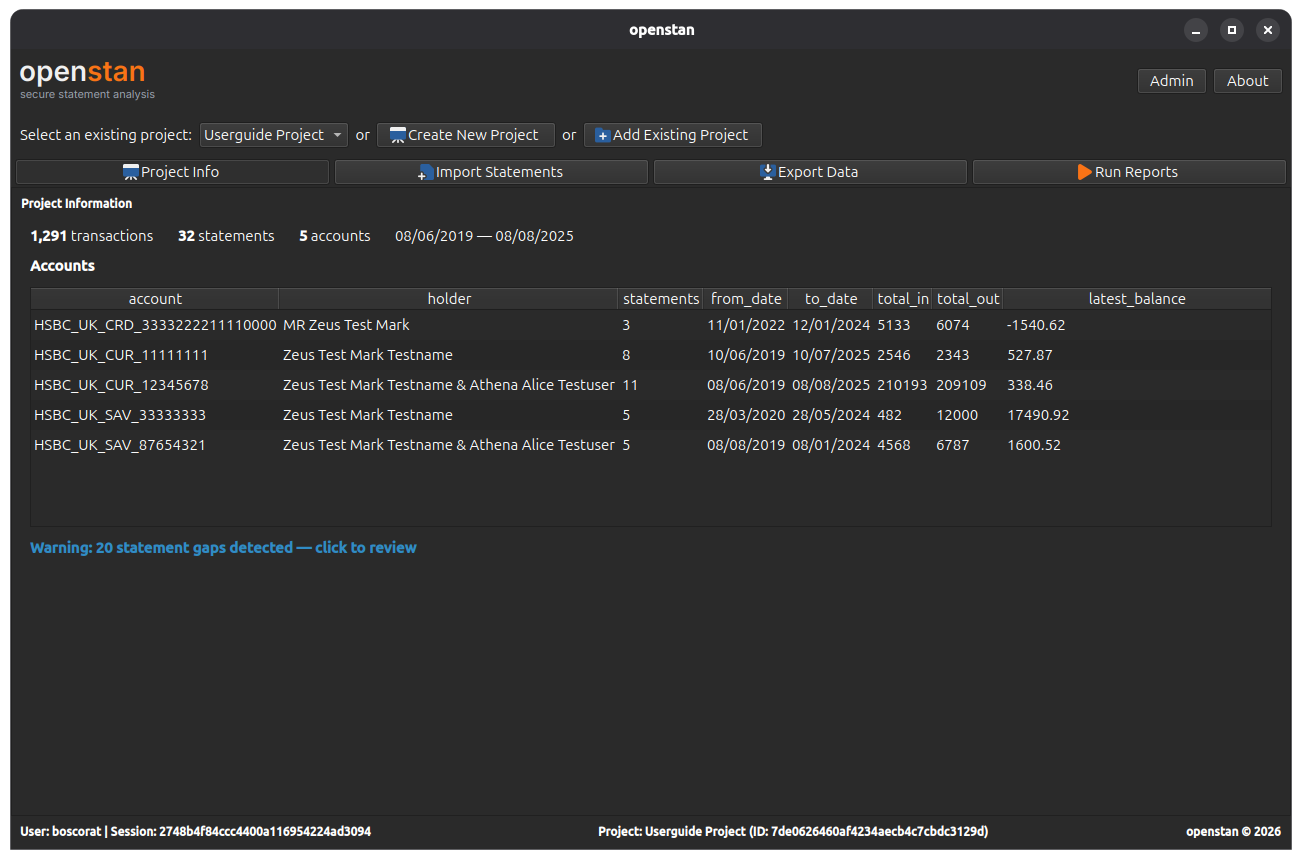
Once data is available, a headline summary is shown at the top:
| Item | Description |
|---|---|
| Transactions | Total number of individual transactions across all statements. |
| Statements | Total number of committed statement documents. |
| Accounts | Number of distinct accounts represented. |
| Date range | The earliest and latest dates covered by any committed statement (e.g. 2023-01-01 — 2024-12-31). |
Accounts table
Below the summary, a table shows a per-account breakdown:
| Column | Description |
|---|---|
| Account holder | The name of the account holder as it appears on the statement. |
| Account type | The type of account (e.g. Current, Savings). |
| Account number | The account number. |
| Statements | Number of committed statements for this account. |
| Transactions | Number of transactions for this account. |
| From | Earliest statement date for this account. |
| To | Latest statement date for this account. |
Statement coverage gaps
If openstan detects a gap in statement coverage for any account — meaning there is a period of time not covered by any committed statement — a warning button appears below the accounts table:
N gap(s) detected — click for details
Click the button to open the Gap Detail dialog.
Gap Detail dialog
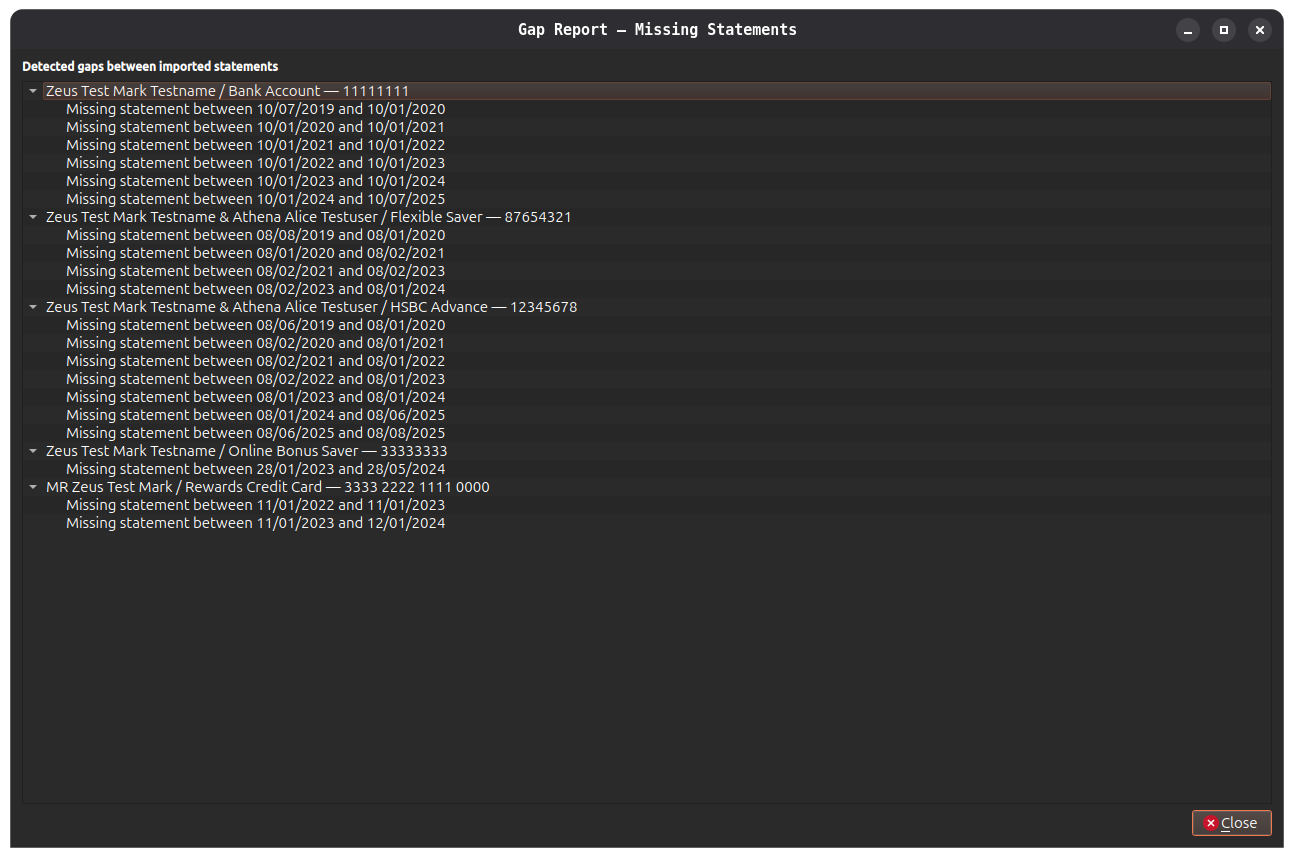
The dialog shows a tree grouped by account. Each account node lists the gaps detected:
Missing statement between 2023-06-30 and 2023-08-01
A gap is reported whenever the end date of one statement and the start date of the next statement for the same account are not contiguous. This may indicate a missing statement file.
Gaps are informational
Gaps do not prevent exporting or reporting. They are shown as a convenience to help you identify any statements you may have forgotten to import.